Today I worked on some home labs for two big things for securing Power Apps:
- VNet integration
- Managed Identity for plugins
Implementing both of these is not a super simple task but is worthwhile .These features are fairly new and the docs even on Microsoft Learn are only partially complete and without the use of AI to help debug this stuff, it could take weeks and involve skills from multiple disciplines including networking, authentication (especially Entra and OIDC). That said, I would not recommend implementing this stuff especially in any prod environments without having a good grasp of networking and Oauth/OIDC
Basically for VNet Integration my goal was to have my Dataverse plugin call a Function App exclusively through the Azure backbone. Nothing from Dataverse travelling across the internet. I started by:
- Creating two VNets. One for australiaeast and one for australiasoutheast
- Peering them. Why did they have to be peered? Because Power Apps based in Australia demands two Vnets each with a subnet for the Power Platform calls (disaster continuity?). One has to be based in australiaeast and one in australiasoutheast
- Creating a Private DNS Zone. Why? The plugin is within an integration subnet. The Function App is NOT within that. The plugin needs the IP address of the Function App’s private endpoint because the public one is disabled.
- Creating a quick Function App to log an incoming request
The hardest part is to set up the Power Platform Enterprise Policy which is used to direct Power Platform to start directing it’s traffic to the Vnet, rather than to the internet. AI did not do well on this and documentation was sparse. Here are the base docs: https://learn.microsoft.com/en-us/power-platform/admin/vnet-support-setup-configure?tabs=existing%2Csingle&pivots=powershell.
Go with the Powershell commands, the manual process looks painful
Results/learnings:
- While wiring things up I went to the docs for this specific command from the main docs and found lots of useful ones: New-SubnetInjectionEnterprisePolicy.
- During the enabling of the subnet injection plugins went down, I assume this was due to the processes being restarted to allow the network changes to take effect
- This is a little painful but it’s stuff that you probably just have to do once and reap the rewards. Put your plugin execution inside a VNet, then you’ve got a secure highway between Power Apps and whatever you’ve got in Azure
Setting up managed identity for plugins is also a good initiative. Why? It lets you offload lots of the niggly bits of auth and token acquisition to the service. Things like:
- Invoke service bus
- Call a Function App to integrate with another process
- Handles token caching etc so you don’t have to build a Frankenstein within D365
Here are the docs for it: https://learn.microsoft.com/en-us/power-platform/admin/set-up-managed-identity
Results/learnings:
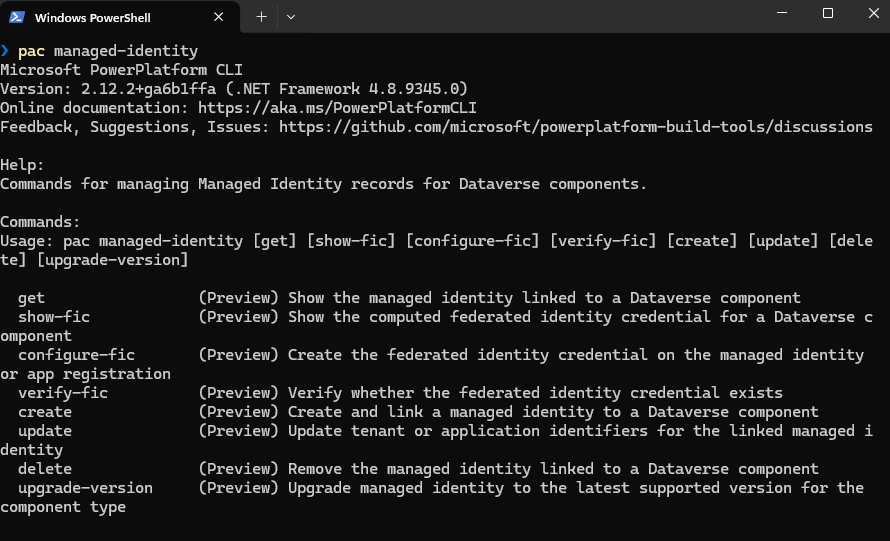
- I got a decent way through the exercise before realising there are some useful commands that have been added to the pac cli for dealing with managed identity
- Be very careful of the v1 vs v2 things mentioned in the write-up.
- Nothing related to this can be done on the front end, you will need to make calls to the web API or use the new pac commands
- You will start to need to sign your plugin package or assembly properly if you aren’t yet
- Be very careful when writing up the Federated Identity Credential (FIC) string to set up in Entra and make sure you use the correct version
Pac managed identity commands
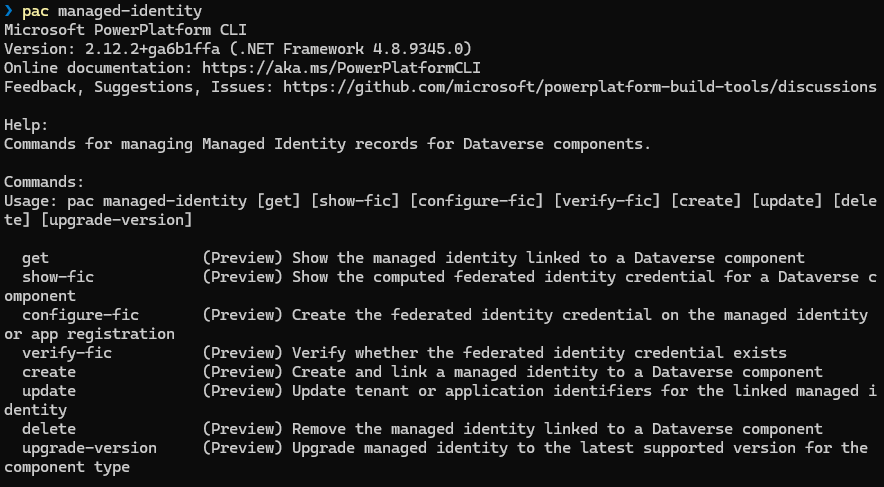
Most useful was show-fic
Most use commands during the exercise
Enable-SubnetInjection -EnvironmentId {envId}
Disable-SubnetInjection -EnvironmentId {envId}
pac managed-identity show-fic –environment {envId} –component-type PluginAssembly –component-id {pluginAssemblyId}
Test-DnsResolution -EnvironmentId {envId} -HostName “pe-functionapp-zzzzzz.australiaeast-01.azurewebsites.net”
Get-SubnetInjectionEnterprisePolicy -SubscriptionId {subId}
Remove-SubnetInjectionEnterprisePolicy -PolicyResourceId /subscriptions/{subId}/resourceGroups/{rg}/providers/Microsoft.PowerPlatform/enterprisePolicies/lab-pp-policy
New-SubnetInjectionEnterprisePolicy -SubscriptionId {subId} -ResourceGroupName {rg} -PolicyName “lab-pp-policy” -PolicyLocation “australia” -VirtualNetworkId “/subscriptions/{subId}/resourceGroups/{rg}/providers/Microsoft.Network/virtualNetworks/VNet-Core” -SubnetName “snet-powerplatform” -VirtualNetworkId2 “/subscriptions/{subId}/resourcegroups/{rg}/providers/Microsoft.Network/virtualNetworks/VNet-Core2” -SubnetName2 “snet-powerplatform”
Install-Module Microsoft.PowerPlatform.EnterprisePolicies
Import-Module Microsoft.PowerPlatform.EnterprisePolicies


Leave a Reply